The first cloud ecosystem for Antminer repair

On-site hashboard repair — less downtime and logistics

Diagnostics and EEPROM flashing at the rack, shift control, and manager email summaries. Equipment returns to service faster.

How downtime is reduced

Faulty board

Board removed from the miner right on site

On-site repair

Diagnostics and repair without sending to a third-party service

QC test before reinstall

Bench verification before returning the board to the rack

Fewer repeat outages

The board does not go back into the miner with the same fault

Results in numbers

4M+
boards restored

4,953,275 miner boards worldwide brought back online with our testers

900,000+
dumps in database

964,128 dumps in the database — the right firmware in seconds, no forum hunting

2,000+
users

2,293 users find and fix faults faster with our testers

200,000+
boards edited

266,466 boards edited — miners configured for their owners' needs

Live data · updated 1 minute ago

For data centers

On-site repair and diagnostics — less logistics, less downtime, faster hashrate recovery.

On-site diagnostics

Self-service hashboard diagnostics and repair, EEPROM flashing. Easier to train staff — no deep soldering skills from day one

EEPROM recovery

Flash any supported model in under 30 seconds — no PC, programmer, or board power

Models

50 Antminer models supported — check which boards in your fleet can be serviced on site

Mobility

Wi-Fi, compact case, power bank power — work at the rack or repair bay without a wall outlet

Savings

Simple faults are not sent to a service center: save on logistics and lead time. Equipment returns to service faster

QC — documenting the result

After repair or scheduled maintenance, run a QC test on the bench and save the result — documented proof the equipment was working at the time of check.

  • Internal reporting for shifts, spare board stock, or site audit
  • Certificate via public link or PDF — easy to attach to a ticket or maintenance log
  • Standard or custom test profile — for your acceptance requirements

Cabinet for teams

One place to control testers, staff access, and reporting — no shared passwords or Excel spreadsheets.

Unified workspace for devices, analytics, and access.

My devices

  • All testers, licenses, and activity status in one list
  • Device card: metrics, subscriptions, list of users with access
  • Renew subscription for selected testers — order and auto-apply after payment
  • Access requests: who requested, attachments, approve or decline

Roles and access

  • Roles: owner, administrator, operator
  • Transfer tester between staff while keeping control
  • Tester sign-in — each person uses their own cabinet account, no shared login

Tester reports

  • Period: day, week, month, quarter, year, custom range, or all time
  • Filter by tester serial numbers
  • Metrics: board connections, EEPROM operations, saved dumps, repairs
  • Activity map, charts by operation type and board models
  • Drill-down per metric — operation list for the period

Email reports

  • Subscribe to a summary of your testers' work to your account email
  • Frequency: daily, weekly, monthly
  • Email — totals for the completed period (sent at 00:05 UTC)
  • Manage subscriptions in cabinet profile or from Reports

Shop and orders

  • Shop: buy testers and catalog items — cart, checkout, invoice, payment (including crypto)
  • License subscriptions are ordered from My devices, not the shop
  • Orders: purchase history and status — Orders tab in profile

Data centers

For data centers: shift load control, who worked with which tester, weekly repair summary email to the manager.

QC repair certificate

Send the customer a professional repair report via a public link — in their language, with print or PDF save.

Public link

One link — full report opens in the browser

15 languages

Status, test steps, and notes in the customer's language — no translation on your side

Print and PDF

A4 layout; customer prints or saves from the browser

Key features

Everything you need for bench diagnostics and repair: from chip map to EEPROM editor.

  • Chip map
  • Defective chip log
  • Sensor scan
  • Quick model switch
  • Easy updates
  • Wi-Fi setup
  • All info on the display
  • Mobility
  • EEPROM editor
  • 900,000+ dump database
  • Dump history
  • Thermal map
  • Event log
  • Hashboard constructor
  • Interface in 15 languages

Supported models

ASIC Repair Center currently supports 50 ASIC models.

21 series

  • Antminer S21
  • Antminer T21
  • Antminer S21PRO
  • Antminer S21PLUS
  • Antminer S21XP

Hydro

  • Antminer S19HYDRO
  • Antminer S19XPHYDRO
  • Antminer S19PRO HYDRO
  • Antminer S21 HYDRO
  • Antminer S21PLUS HYDRO
  • Antminer S21EXP HYDRO

19 series

  • Antminer S19
  • Antminer T19
  • Antminer S19PRO
  • Antminer S19J
  • Antminer S19JPRO
  • Antminer S19 88
  • Antminer S19A
  • Antminer S19APRO
  • Antminer S19I
  • Antminer S19+
  • Antminer S19JPRO NP
  • Antminer S19JPRO XP
  • Antminer S19 XP NP
  • Antminer S19KPRO
  • Antminer S19JPRO PLUS

17 series

  • Antminer S17
  • Antminer T17
  • Antminer S17E
  • Antminer T17E
  • Antminer S17+
  • Antminer T17+

Other

  • Antminer S9K
  • Antminer S9SE
  • Antminer S11
  • Antminer S15
  • Antminer T15
  • Antminer S9
  • Antminer Z11
  • Antminer L3
  • Antminer Z15
  • Antminer DR5
  • Antminer D7
  • Antminer L7
  • Antminer L5
  • Antminer K7
  • Antminer KA3
  • Antminer Z15PRO
  • Antminer KS5
  • Antminer L9

Cities where our tester is used

Verified service centers

Showing the TOP 5 services by number of testers

Workshop City Services Contacts
ASIC.REPAIR Verified
Первый в России сервисный центр по ремонту майнеров.Экспресс-ремонт ASIC-майнеров в Москве: Antminer, Innosilicon, Canaan, EBANG. Бесплатная диагностика и гарантия.
Россия, Москва Ремонт ASIC, Диагностика, Обучение +7 495 924-70-10
LDM Brasil Repair Verified
Especialista em reparo de hashboards antminer e whatsminer na região de São Paulo.
Brasil, Itapevi Reparo de Asic, Diagnóstico, Treinamento +5511978989631
Want to be on this list?

Buy a tester, fill in your company profile — and get client traffic straight from the map.

Order tester

Pricing ASIC Repair Center

Pays for itself in fewer than 20 board repairs.

Monthly subscription
$42
1 month
  • Preservation of the current tester configuration
  • Renewed every month
Order
Quarterly subscription
$113 $126
3 months
  • Preservation of the current tester configuration
  • 10% discount
  • Renewed every 3 months
Order
Annual subscription
Annual subscription
$428 $504
12 months
  • Automatic transition to Pro version for the duration of the subscription
  • Full access to all models and functions
  • 15% discount
  • Renewed every 12 months
Order

Payment & shipping

Payment

₽, $, €, BTC, ETH

Shipping

Worldwide shipping: international — Aramex, CIS countries — CDEK (www.cdek.ru). Door-to-door express, online tracking.

Support & warranty

Live support and 6-month warranty — you are not on your own with the device.

Support

Telegram group, email, and direct chat with an engineer. We reply almost immediately — delay only due to time zones

6-month warranty

We troubleshoot remotely with you on Telegram first. If a defect is confirmed and cannot be fixed — free replacement with a new unit

Updates

Regular software updates improving functionality and expanding ASIC Repair Center capabilities

New models

We continuously expand the list of supported models

Update history

Latest public tester firmware releases.

3.005 pro May 14, 2026
ARC 3.0 PRO Firmware Update

A routine update with internal improvements and better runtime stability.

Details

Update

  • Improved overall device reliability in common workflows.
  • Enhanced compatibility of selected components and service routines.
  • Optimized several interaction flows in the web interface.
  • Refined system messages and handling of edge-case scenarios.
  • Added the ability to join beta testing directly from the interface.
  • Applied service-level changes to improve platform resilience.
  • Prepared internal groundwork for upcoming updates.
3.004 pro May 08, 2026
Important ARC 3.0 PRO Update

This update fixes critical issues

Details

What Was Fixed

  • Improved stability of the update and authorization process

Recommendation

  • We recommend installing this update for all ARC 3.0 PRO users
3.003 pro April 30, 2026
ARC 3.0 PRO Firmware Update

A brief overview of key features shown in the video.

Details

Access and Connection

  • New user portal: manage tester access, data, reports, and history
  • Passwordless sign-in
  • mDNS connection setup in Settings

UI and Localization

  • New UI themes with instant switching
  • Languages: Russian, English, Chinese, Spanish, and 11 more

New Models

Diagnostics and Control

  • Full mining tests for the entire 21-series
  • Per-chip maps: voltage, temperature, nonces, and core errors
2.008 public July 23, 2025
ARC 2.008 Firmware Update

Added new BHB for series 21, board detection errors fixed.

2.007 public April 16, 2025

Added support for Antminer S21pro.Revamped and improved EEPROM editor.Added support for new temperature sensors.Attention: after updating and rebooting, the tester will not display anything for a while. Do not operate the tester during this period — it will finish the update process and power on by itself.

Show all updates (7)
2.006 public February 04, 2025

v2.006 Added Antminer l9

2.005 public July 09, 2024

v2.005 Bug fixes

2.004 public June 27, 2024

v2.004 KS5, s21 hydro added

2.003 public April 16, 2024

v2.003 Fixed incorrect definition of BHB42651

2.002 public April 08, 2024

v2.002 Fixed an error that occurs when trying to edit the EEPROM of the S19 pro model.

2.001 public March 24, 2024

v2.001 The automatic board recognition procedure has changed significantly. In this version, if it was not possible to accurately recognize the board, the model will not change. Also added models: Z15pro, S19Kpro, S19 pro_hydro, S19Jpro_plus, S21, S19_88, T21.

2.000 public February 26, 2024

v2.0 Critical update regarding server interaction logic

Our videos

Short demos and usage scenarios.

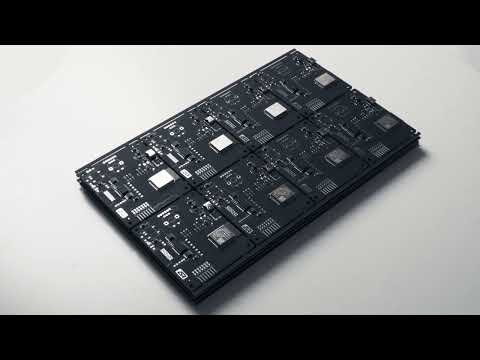
ASIC Repair Center production

Full cycle of development, manufacturing, and assembly of testers by our engineers in our own workshop

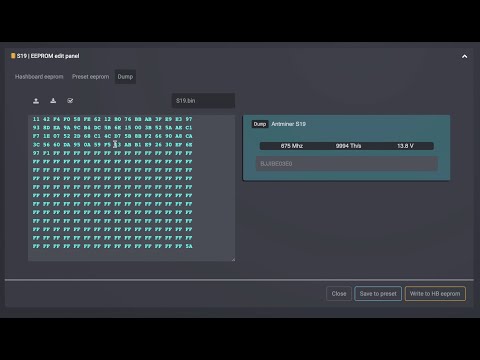
Bitmain dump editor

Demo of the Bitmain dump editor: load a dump from miner log or file and save it to disk

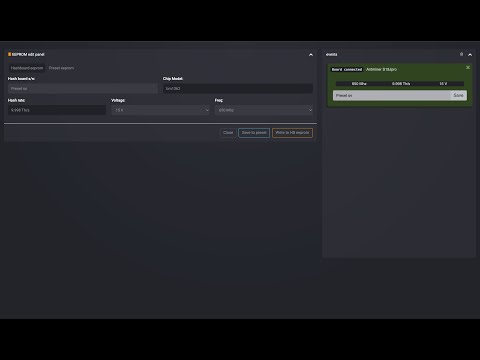
EEPROM editor and auto-detect

Demo of the EEPROM editor and auto-detect: write your own serial number to a hashboard

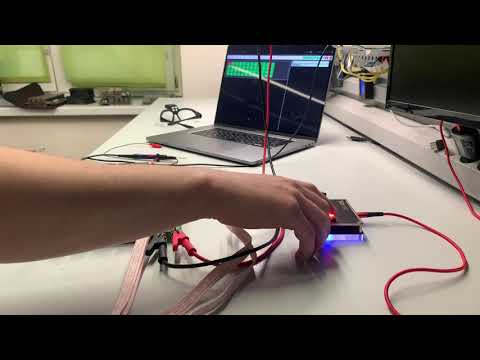
ASIC Repair Center — ASIC miner tester

Tester overview: board check and EEPROM flashing; convenient Wi-Fi web interface

Get in touch

Write to us — we usually reply within a couple of hours.