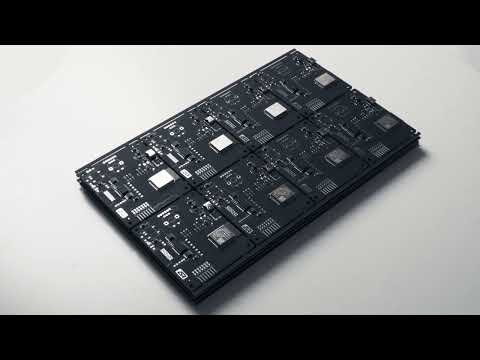
Chip map
- Accurate chip layout map
- Map mirrors the real hashboard — no schematic cross-check: highlighted chip is visible on the bench
- From user experience: with ~50 chip replacements per day, saves up to 1 hour of work time
Chip map, thermal map, and EEPROM editor: diagnose and repair Antminer hashboards without overheating or running them in a miner.
Board diagnostics
Chip map, thermal map, and defect log — no overheating on the bench
Find the fault
The faulty chip is visible at a glance — no need to cross-check the schematic
Bench repair
EEPROM, dumps, and chip replacement without running the board in a miner
QC test before the miner
Confirm the result before a long burn-in in the miner
5,227,879 miner boards worldwide brought back online with our testers
1,037,243 dumps in the database — the right firmware in seconds, no forum hunting
2,302 users find and fix faults faster with our testers
270,619 boards edited — miners configured for their owners' needs
Everything you need for bench diagnostics and repair: from chip map to EEPROM editor.
Board scan: temperature sensors in chips, I2C, multiplexers. Overheat warning, auto-stop on critical temperature.
Switch models in seconds — knob on the tester or selection in the web UI. One tester instead of several with SD cards.
Current firmware version and Update button in the UI — no manual file uploads or instructions.
Familiar setup UI. Work and updates over Wi-Fi 802.11n — no Ethernet cable needed.
Key statuses on the tester display — work without a laptop.
Powered by USB Type-C: adapter, laptop, or power bank. No separate PSU required.
Run a QC test on the bench and confirm the board is ready for long burn-in in the miner. This shortens the repair cycle when boards come back from miner testing — sometimes several times in a row.
ASIC Repair Center currently supports 50 ASIC models.
Nothing found
Even working solo, it's easy to manage the license and who has access to the tester.
Showing the TOP 5 services by number of testers
| Workshop | City | Services | Contacts |
|---|---|---|---|

ASIC.REPAIR Verified
Первый в России сервисный центр по ремонту майнеров.Экспресс-ремонт ASIC-майнеров в Москве: Antminer, Innosilicon, Canaan, EBANG. Бесплатная диагностика и гарантия.
|
Россия, Москва | Ремонт ASIC, Диагностика, Обучение | +7 495 924-70-10 |

Sam mining Verified
ASIC repair center italy
|
Italy, Napoli | Repair center, ASIC, Bitmain, whatsminer, homeminer | +393319454852 @Sammining25 |
Nothing found
Buy a tester, fill in your company profile — and get client traffic straight from the map.
Pays for itself in fewer than 20 board repairs.
₽, $, €, BTC, ETH
Worldwide shipping: international — Aramex, CIS countries — CDEK (www.cdek.ru). Door-to-door express, online tracking.
Live support and a 1-year warranty — you are not on your own with the device.
Telegram group, email, and direct chat with an engineer. We reply almost immediately — delay only due to time zones
We troubleshoot remotely with you on Telegram first. If a defect is confirmed and cannot be fixed — free replacement with a new unit
Regular software updates improving functionality and expanding ASIC Repair Center capabilities
We continuously expand the list of supported models
Latest public tester firmware releases.
A routine update with internal improvements and better runtime stability.
Update
This update fixes critical issues
What Was Fixed
Recommendation
A brief overview of key features shown in the video.
Access and Connection
UI and Localization
New Models
Diagnostics and Control
Added new BHB for series 21, board detection errors fixed.
Added support for Antminer S21pro.Revamped and improved EEPROM editor.Added support for new temperature sensors.Attention: after updating and rebooting, the tester will not display anything for a while. Do not operate the tester during this period — it will finish the update process and power on by itself.
v2.006 Added Antminer l9
v2.005 Bug fixes
v2.004 KS5, s21 hydro added
v2.003 Fixed incorrect definition of BHB42651
v2.002 Fixed an error that occurs when trying to edit the EEPROM of the S19 pro model.
v2.001 The automatic board recognition procedure has changed significantly. In this version, if it was not possible to accurately recognize the board, the model will not change. Also added models: Z15pro, S19Kpro, S19 pro_hydro, S19Jpro_plus, S21, S19_88, T21.
v2.0 Critical update regarding server interaction logic
Short demos and usage scenarios.
Full cycle of development, manufacturing, and assembly of testers by our engineers in our own workshop
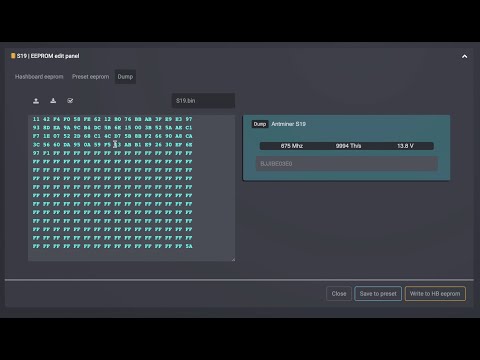
Demo of the Bitmain dump editor: load a dump from miner log or file and save it to disk
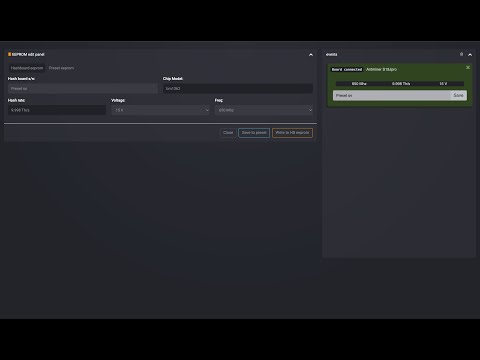
Demo of the EEPROM editor and auto-detect: write your own serial number to a hashboard
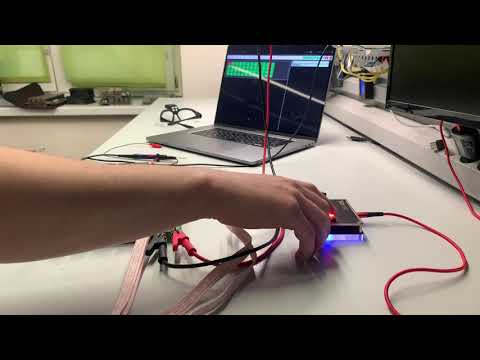
Tester overview: board check and EEPROM flashing; convenient Wi-Fi web interface
Write to us — we usually reply within a couple of hours.